Sales Teams
Sales Teams, within CRM → Configurations, lets you organize the people involved in your commercial process. Each team can have a leader and settings for leads, opportunities, and an invoicing target.
In this guide
General workflow
- Open CRM → Configurations → Sales Teams.
- Review or search the existing teams.
- Select New Sales Team.
- Enter the team's general information and configuration.
- Select Create to save the team.
View the Sales Teams list
Go to CRM → Configurations → Sales Teams. The list displays the teams registered in the system. From here, you can create a team or open an existing one to view, edit, or delete it.
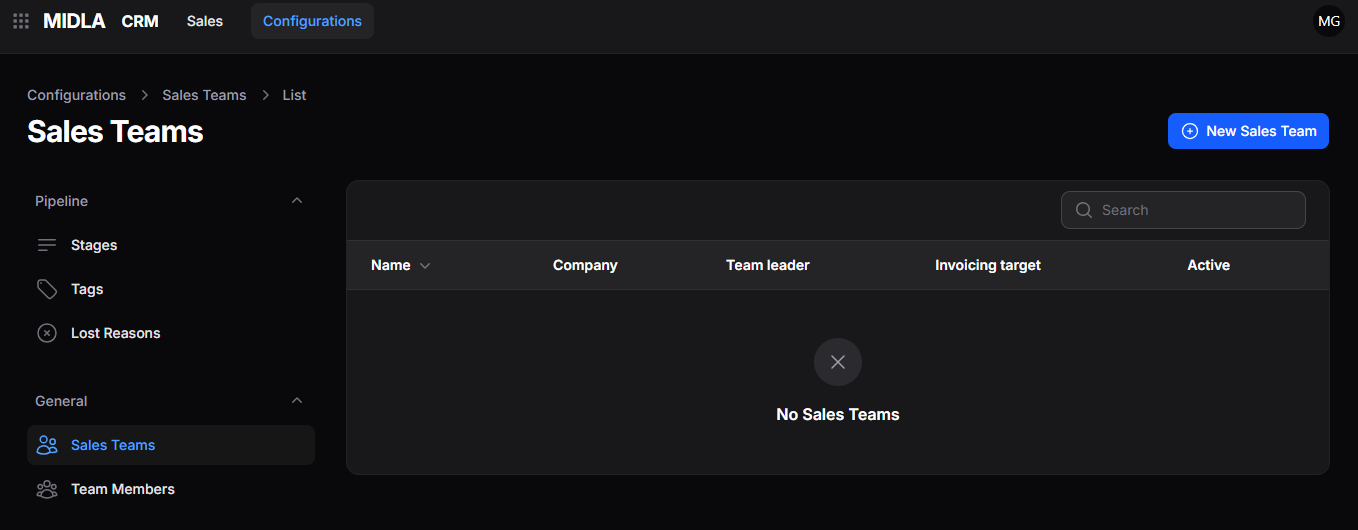
Figure 1. Sales Teams list
List tools
| Tool | What it does |
|---|---|
| Search | Finds a sales team using the available search criteria. |
| Records per Page | Sets how many teams appear on each page and lets you navigate through the results. |
Create a Sales Team
From the Sales Teams list, select New Sales Team. Complete the form, then select Create to save the new team.
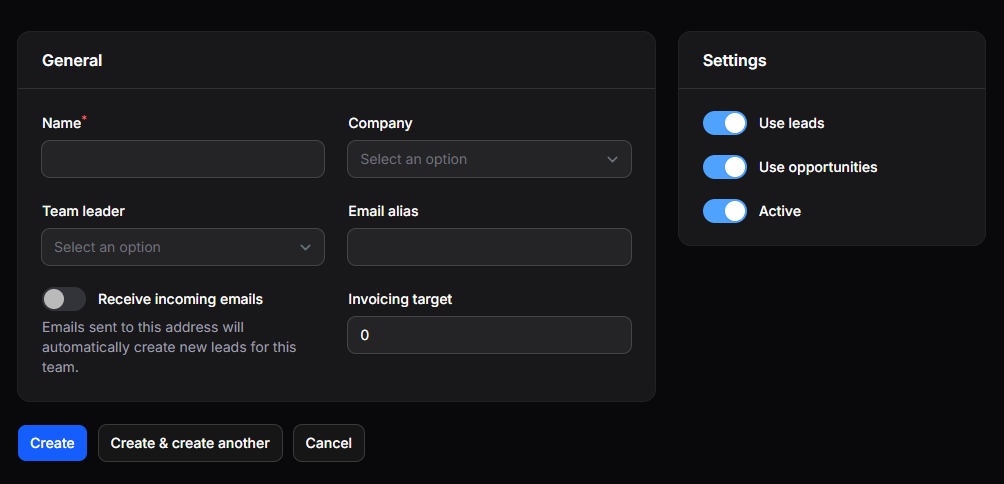
Figure 2. Sales Team creation form
Configure team details
General
The General section contains the team's identifying information, leader, email settings, and target.
| Field | What it defines |
|---|---|
| Name | Name of the sales team. |
| Company | Company associated with the team. |
| Team Leader | Person responsible for coordinating the team. |
| Email Alias | Email address used by the team. |
| Receive Incoming Emails | Whether incoming emails automatically generate leads. |
| Invoicing Target | Invoicing target assigned to the team. |
Configuration
The Configuration section controls which commercial records the team uses and whether it is available.
| Setting | What it does |
|---|---|
| Use Leads | Enables lead management for the team. |
| Use Opportunities | Enables opportunity management for the team. |
| Active | Makes the team available for use. |
Save the team
Choose one of the actions at the bottom of the form:
| Action | Result |
|---|---|
| Create | Saves the team. |
| Create & Create Another | Saves the team and opens a new form. |
| Cancel | Closes the form without saving. |
Manage an existing team
After creation, the team appears in the Sales Teams list. Open its record to review its information or use the available actions to edit or delete it.
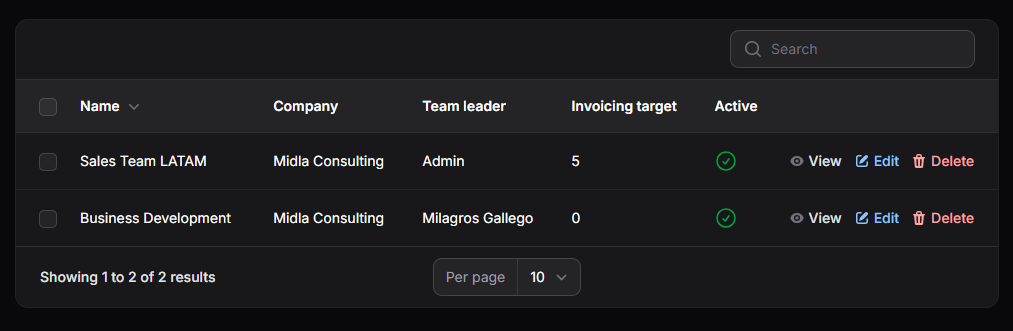
Figure 3. Created Sales Teams
View a Sales Team
Select View to see the team's general information and configuration.
Edit a Sales Team
Select Edit to open the form with the team's existing information. Make the necessary changes and save them.
Delete a Sales Team
Select Delete to remove a team. Once deleted, it no longer appears in the list or remains available for new commercial operations.